Manual & Automatic Product Labels
Tag products as Unicorns, Best Sellers, and Vampires automatically from performance data—or add your own labels manually. Sync changes to Merchant Center directly from AdTool.
Manual labels are never overwritten. Only changed labels are pushed on sync.
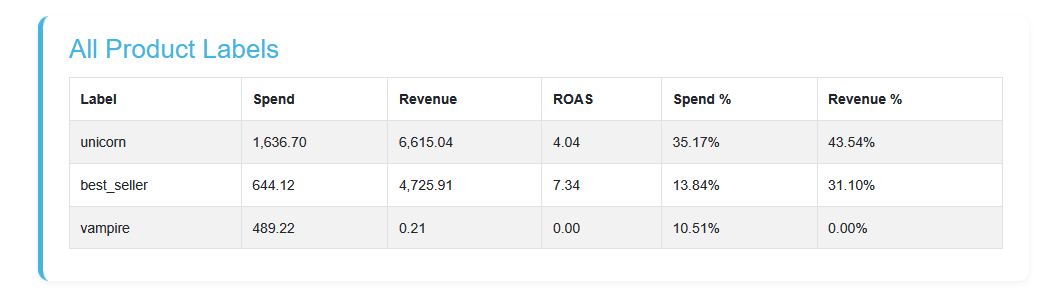
How it works
Let AdTool automatically surface your best performers and direct more budget to what converts—without touching Merchant Center.
Automate product labeling from performance data and direct budget toward your best-selling items—no manual exports or guesswork.
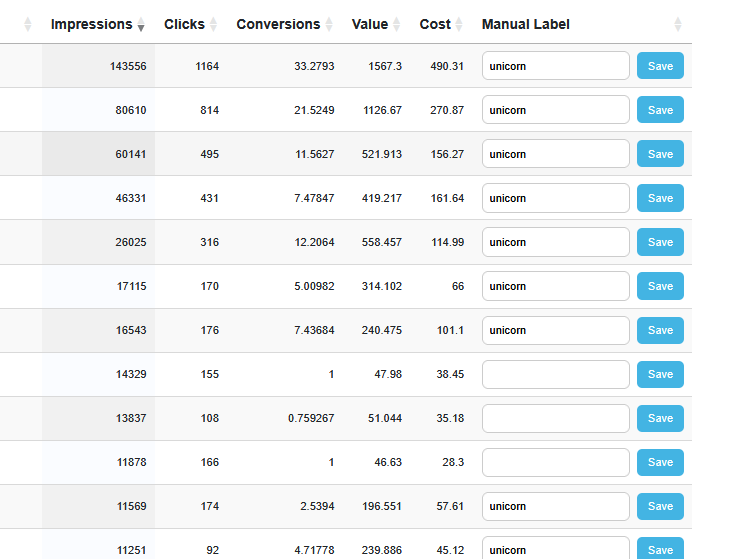
Add & edit labels inline
Search your products and add labels directly (e.g., Clearance, Seasonal, High Margin). Manual labels are protected and never overwritten by automation.
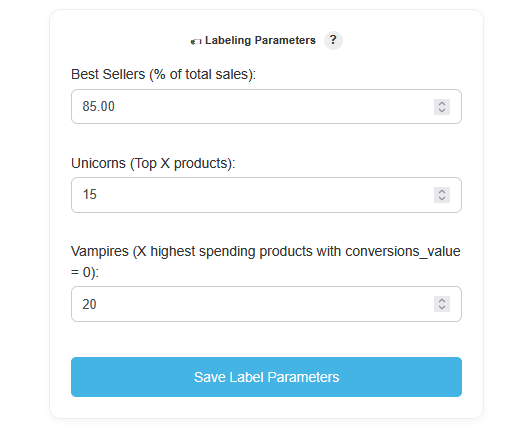
Best sellers, unicorns & vampires
Define your thresholds and let AdTool tag products automatically:
Unicorns: Top X by revenue.
Best Sellers: Next set contributing to Y% of revenue (excl. unicorns).
Vampires: Highest cost with zero conversions.
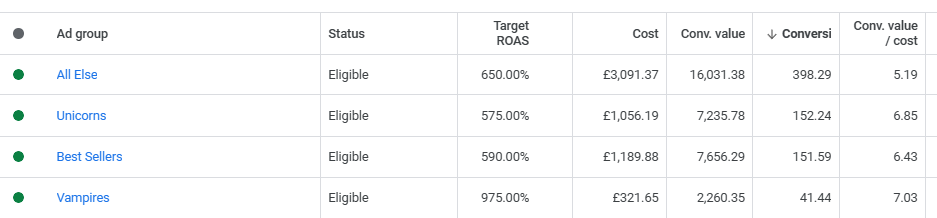
Automate your Shopping campaigns
Unicorn and Best Seller products are automatically assigned to the correct ad groups based on the latest performance data—keeping your campaign structure aligned with what actually sells.
Explore other features
Extend your protection and automation across Shopping, feeds, and reporting — all from one dashboard.