Budget Auto-Pause & Alerts
Monitor spend, impressions, and clicks for unusual changes, get notified via Email or Slack, and automatically pause campaigns when budgets are exceeded.
Also monitors Merchant Center—flagging disapprovals or stock issues for priority products.
How it works
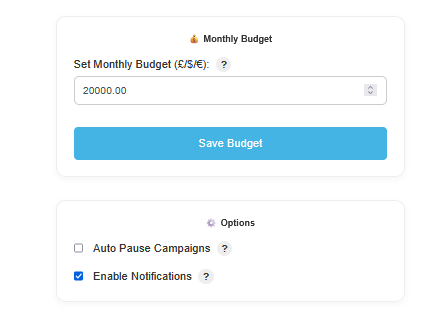
Set per-account thresholds, watch for significant deviations in daily performance, and automatically pause overspending campaigns—while getting instant notifications and Merchant issue alerts.
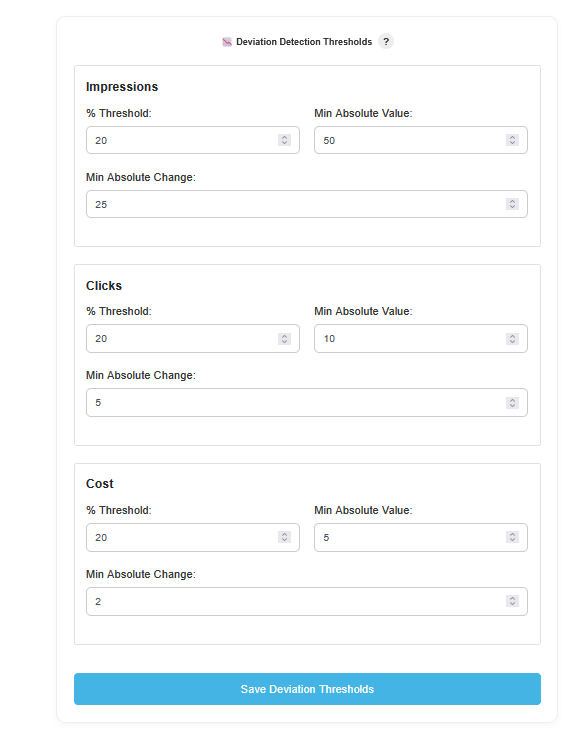
Set thresholds & channels
Choose alert thresholds for spend, impressions, and clicks (e.g., ±20%) per account. Add recipients for Email and connect a Slack channel for instant alerts.
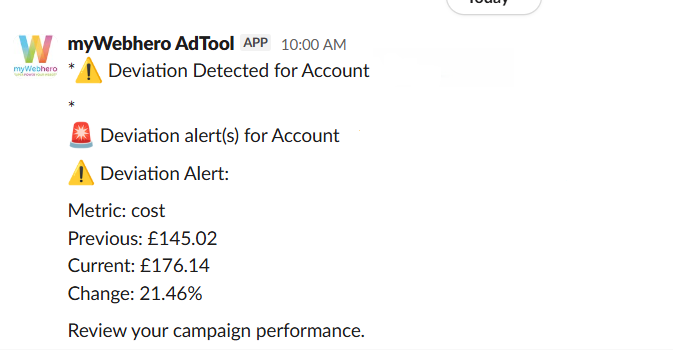
Detect deviations & notify
Scheduled checks compare today’s performance with recent baselines to catch significant changes. When a threshold is crossed, AdTool sends an alert with the metric, % change, and context.
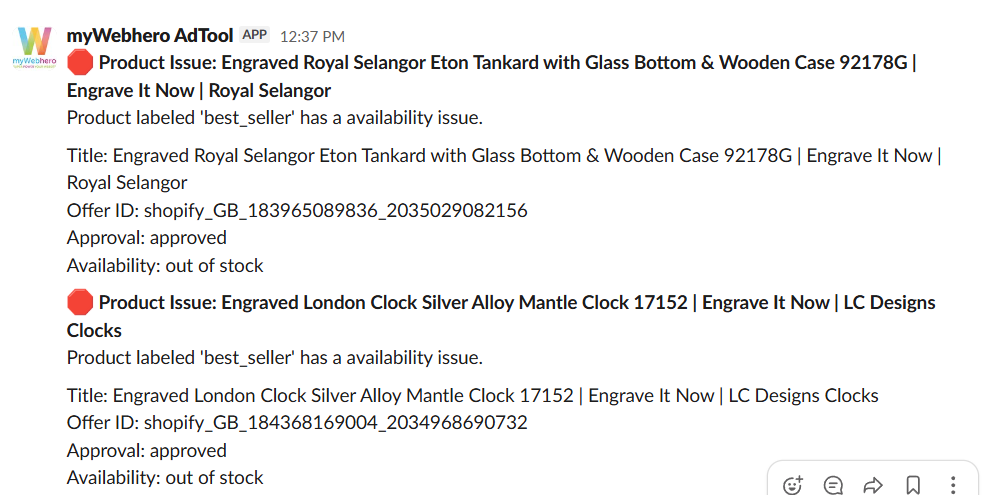
Auto-pause & Merchant issue alerts
If a monthly budget is exceeded, AdTool pauses campaigns automatically and notifies your team. It also flags Merchant Center issues (e.g., disapproved or out-of-stock) for priority products—alerting once per issue until resolved.
Campaigns can be auto-resumed on the 1st of the month or manually from your dashboard.
Explore other features
Extend your protection and automation across Shopping, feeds, and reporting — all from one dashboard.